
How Much Do You Have to Spend on a 6 Monitor Setup?

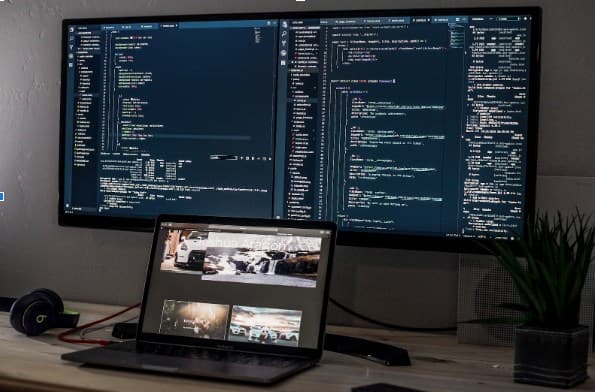
When it comes to your 6 monitor setup, there’s an extensive range of specifications that you can choose from that could be right for you. In fact, the list includes everything from the computer, to equipment and accessories and even the desk you use. So, where do you start when it comes to budgeting and deciding what to use?
Typical Costs for A 6 Monitor Setup
The first thing you need to decide on is what you’re going to use your 6 monitor setup for. Perhaps it’s for gaming or trading? You might, however, also be using a monitor setup for your profession and even as a mini home cinema. Regardless, you’ll need to start with your list of requirements to work out what’s right for you, as detailed below:
Computer Desktop or Laptop
Your first question for your monitor setup is whether you prefer to use a desktop or a laptop. Clearly, a laptop has more flexibility if you ever want to disconnect it from your multiple screens. You can then use it somewhere else in the house. Amazingly, these days you can also find laptops that are equally powerful, such as Falcon Laptops, for example. Whatever you go for, you think, you can expect an average cost of $2,000. So, do your research to find what’s right for you, and don't forget the choice between Windows 10 and mac. That one is also hugely personal in terms of the different feelings and experiences of the interfaces.
Graphics Card or GPU and CPU
Trading computers often have an inbuilt graphics card in their system. This is because they are designed specifically for trading or gaming activities. For a cheaper option, though, you can buy external graphics cards and connect them via a USB port to your computer. For what is essentially a video card, sound graphics card GPU is around 3GB, although 2GB is often sufficient. In terms of price, the most effective graphics card seems to be Razer’s Core X at about $300.
When choosing your equipment system, it's not just about the graphics card. You should also check that you buy something with sufficient processing power. Intel is currently the most popular with its quad-core design to manage your computer’s work more efficiently. Mac has an equally good processor, although look for the quad-core specification. Whether you have windows 10 or mac, a good rule of thumb is a 4GHZ CPU with at least 8GB of RAM if you’re tight on money. Although, 16GB will give you that much better performance with your integrated graphics.
Monitor Screen
 You’ll want to think about resolution specifications according to what you’re using your 6 monitor setup for. These days there are essentially 3 LCD options for 6 monitors or less. The first and most affordable TN model is perfect enough for most traders and their multi-monitor equipment. Some gamers might prefer the higher-end IPS type or even the medium-range VA, which improves their resolution.
However, those gamers who use a higher refresh rate will choose the medium or even lower resolution of around 1080P offered by TN panels. This is because otherwise, the resolutions can’t keep up with the high refresh rates. Typical costs for multiple monitor setups are around a few hundred dollars. However, these can go up to over $1000 depending on the resolution you choose. Again, make sure you know what you want before diving into getting your two or even 6 multiple monitors.
Display Stands
 The main thing to remember when choosing multi-monitor stands is your ergonomics. It’s so easy to strain your neck and shoulders when peering at lots of different screens, whether you have two or 6. For this reason, it can be a good idea to buy flexible and adaptable arms that can be easily moved. The very top of the range is Apple’s latest Pro Stand at around $1000. Yes, it’s incredible but bears in mind that you can also get stands with adjustable arms at approximately $50. Of course, you then have to multiply by 6 for your 6 monitor setup. Having said that, you can also start with two or three monitors and see how you get on. That's also a great way to keep your budget down and get used to your multiple monitor setup.
Cables
Let’s not forget all the cables that you’ll need for your HDMI or other connections. Make sure that you check your laptop or computer before you go out to buy cables. There are many different DisplayPort types out there, for example, VDI and not just HDMI options. It almost doesn’t matter what ports you have, though. If you’re not sure of the name, then simply take a photo of your DisplayPort. You can then ask your computer shop assistant for the right cables. Whatever you need, though, each of your cables should be less than $50.
Accessories
 Accessories are another aspect of owning a 6 monitor setup. What you install is very personal, though, and some people like to also have a top-of-the-range desk, for example. This would then include the right holes and accessories to hide all their cables. Of course, you can also get very cheap cable ties or cable trays, for example. Others like to create unique lighting around their 6 monitor setup, especially if they’re gaming or using it as a home cinema. Naturally, all this will eventually add up in terms of costs. The best thing you can do is to plan before getting your multi-monitor setup. If you want to learn how to get amazon prime for free then click here.
Final Thoughts on The Costs of a 6 Monitor Setup
At the end of the day, the equipment and device you buy is entirely your choice. If you want everything to be top of the range, you could be looking at something close to $10k. Although, there's also nothing stopping you from starting with perhaps two or three monitors and building up from there. On the other hand, you can get a perfectly great 6 monitor setup with half that cost or perhaps slightly less again. Either way, make up your list of requirements, including your graphics card, with all the potential costs first, especially if you’re on a tight budget. You’ll still get to enjoy a great experience with all the functionality of a great setup.

Roshan KC
Software Engineer & Tech Journalist
Software Engineer with 6+ years of experience building scalable, AI-powered, and cloud-native solutions. Worked with 20+ clients across SaaS, E-commerce, restaurants, tours, and local businesses. Specializing in AI & automation, cloud-native architectures, SaaS platforms, and full-stack development. He is also an investigative tech journalist who writes about the latest happenings in the tech world.

%2Fimages%2Fanime-rails-codes-cover.png&w=3840&q=75)